
Download Tunngle – multiplayer gaming, online gaming, LAN party, gaming network, virtual private network, gaming community, remote gaming, game server, game chat, game connection
Overview
Tunngle is a mobile application developed by Tunngle, designed specifically to enhance the multiplayer gaming experience by simulating a local area network (LAN) environment over the internet. This tool enables users to connect with friends and other players across different geographical locations as if they were on the same local network, which is particularly beneficial for games that rely on direct peer-to-peer connections. The app operates as a virtual private network (VPN) solution tailored to gaming, reducing latency and improving connectivity stability during multiplayer sessions.
It serves a distinct niche in the mobile app ecosystem by addressing the common challenges of online multiplayer gaming, such as high ping, connection drops, and difficulty joining games with friends. The primary target users include casual and dedicated gamers who enjoy cooperative or competitive multiplayer titles and want a more reliable, seamless experience. Real-world use cases include hosting remote LAN parties, joining community gaming networks, and playing games that traditionally require local network access.
Although the developer did not provide additional technical details about the underlying architecture or server infrastructure, the app’s focus on gaming-specific connectivity suggests a streamlined, optimized design. Tunngle’s presence in the Productivity category reflects its utility as a tool for organizing and managing gaming sessions, rather than entertainment in the traditional sense. Its release on February 1, 2024, marks a renewed effort to bring LAN-like gaming experiences to mobile users.
Key Features & Functionality
- Multiplayer Gaming over the Internet – Tunngle enables users to play multiplayer games with friends across the internet as if they were connected locally. This feature is ideal for games that do not support online matchmaking or require direct peer-to-peer connections.
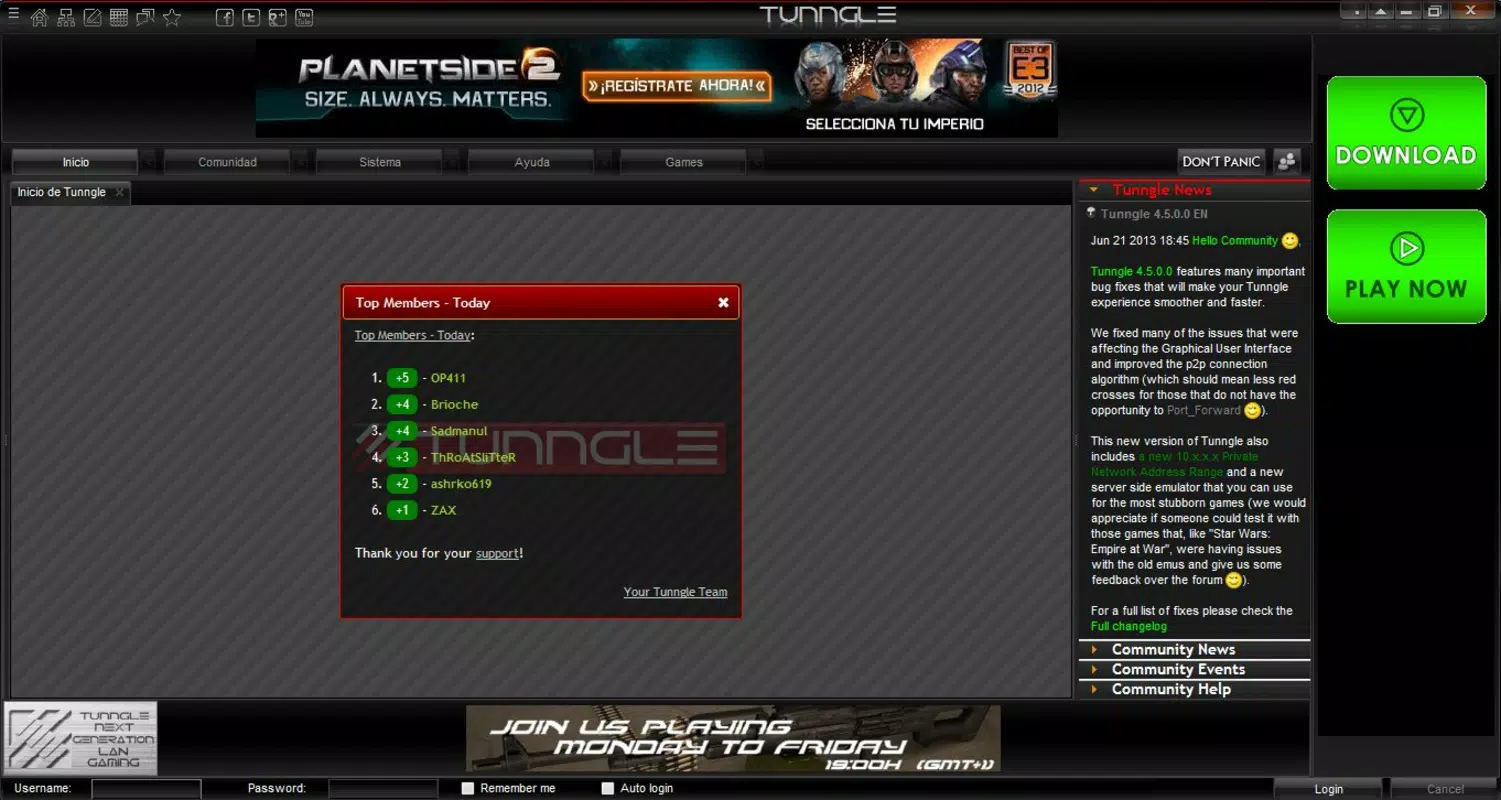
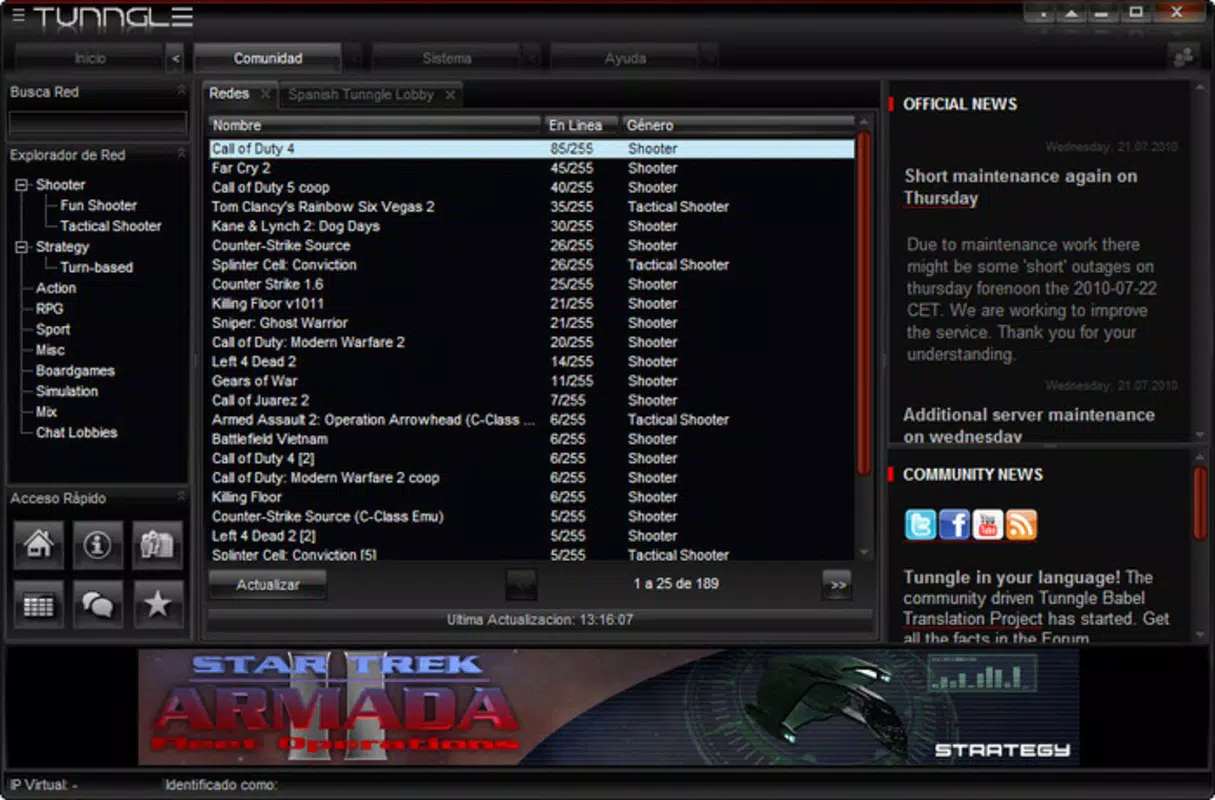
- Comprehensive List of Networks and Users – The app displays an organized list of active gaming networks and connected users, allowing players to browse and join games based on their preferences, game type, or community activity.
- Integrated Chat Functionality – Each gaming network includes a built-in chat system, facilitating real-time communication between players without requiring external messaging apps.
- Easy Access to Gaming Networks – The user interface is designed for quick navigation, allowing users to join a network or game with minimal steps, reducing setup time and enhancing accessibility.
- Exclusively Designed for Multiplayer Gaming – Unlike general-purpose VPNs, Tunngle focuses solely on gaming connectivity, ensuring optimized performance and minimal overhead for gaming-specific tasks.
These features collectively create a streamlined environment for remote gaming, especially beneficial for users who want to replicate the atmosphere of a physical LAN party. For example, a group of friends located in different cities can use Tunngle to play a cooperative game like Minecraft or a competitive title like Counter-Strike, with stable connections and real-time chat support. The app’s design prioritizes usability, ensuring that even users without technical expertise can set up and join sessions quickly.
Interface, UX & Performance
The interface of Tunngle is designed with simplicity and functionality in mind, featuring a clean layout that prioritizes access to gaming networks and user connections. Navigation is intuitive, with clearly labeled sections for available networks, active users, and chat channels. The visual style leans toward a minimalist aesthetic, using neutral colors and straightforward icons to reduce cognitive load and improve usability.
Users can expect a responsive experience across various Android device categories, though the developer did not list formal performance metrics or specific device requirements. The app’s lightweight footprint of 12.3 MB suggests efficient resource usage, which may contribute to smooth operation even on mid-tier devices. Although the developer did not specify minimum OS requirements, the app is compatible with Android, indicating broad accessibility across the platform.
Stability appears to be a focus, as the app is designed to maintain consistent connections during gameplay. The absence of reported crashes or performance issues in the provided data suggests a reliable runtime. However, actual performance may vary based on network conditions, server load, and the user’s internet quality. Tunngle’s focus on gaming-specific optimization implies that it may handle network fluctuations more effectively than standard VPNs.
Platform Compatibility & Technical Requirements
Tunngle is available on the Android platform, making it accessible to a wide range of smartphone users. The current version is 2.2.4, released on February 1, 2024. The app has a file size of 12.3 MB, indicating a lightweight installation that does not consume significant storage space.
The developer did not specify minimum OS requirements or device compatibility details. As such, users should ensure their Android device supports the app’s functionality based on general system compatibility. No additional hardware or software dependencies were mentioned. The app is offered free of charge, making it accessible to users seeking a no-cost solution for remote multiplayer gaming.
Pros and Cons
Pros
- Specifically designed for multiplayer gaming, ensuring optimized performance.
- Simulates a local network environment over the internet, improving connection stability.
- Includes an integrated chat system for real-time communication during gameplay.
- Offers easy access to gaming networks with a user-friendly interface.
- Free to download and use, with no in-app purchases or subscription fees.
Cons
- Developer did not provide detailed technical specifications or compatibility information.
- Only available on Android; no iOS or other platform support was mentioned.
- Performance may vary depending on user’s internet connection and network conditions.
- Limited to gaming use, which may reduce its value for non-gaming users.
- No public information on server infrastructure or data privacy policies.
FAQ
Is Tunngle safe to use on my Android device?
Yes, Tunngle is designed as a secure tool for gaming connectivity. It operates as a virtual private network focused on gaming traffic, with no indication of malicious behavior. However, users should ensure they only join trusted networks to protect their personal information.
Can I use Tunngle to play games that require a local network?
Yes, Tunngle enables users to simulate a local network over the internet, allowing them to play games that traditionally require a physical LAN connection. This is especially useful for older or niche multiplayer games that lack official online support.
Does Tunngle work on iOS devices?
As of the current release, Tunngle is only available on Android. There is no official information about iOS compatibility or future support.
Is Tunngle free to download and use?
Yes, Tunngle is offered at no cost. There are no subscription fees or in-app purchases required to access its core features.
How do I join a gaming network using Tunngle?
After installing the app, users can browse the list of available networks and select one to join. The process typically involves clicking on a network name and confirming the connection. Once connected, users can begin playing with others on the same network.
Final Thoughts
Tunngle stands out as a focused, efficient tool for gamers seeking to recreate the LAN party experience on mobile devices. Its specialized design, intuitive interface, and built-in chat functionality make it a valuable utility for anyone who enjoys multiplayer gaming with friends across distances. While it lacks broader platform support and detailed technical disclosures, its core purpose is clearly defined and well-executed.
For casual gamers, remote friends, and communities organizing online game sessions, Tunngle offers a practical and accessible solution. Its free model and lightweight size further enhance its appeal. If you're looking to play multiplayer games with others over the internet with minimal setup and maximum reliability, Tunngle delivers on its promise.
Download Tunngle now


